Reverse engineering EcoTech Mobius Bluetooth for Home Assistant
 EcoTech Marine makes some of the best gear in the reef hobby: Radion lights, VorTech wave pumps and Vectra return pumps.
They're all controlled by the Mobius phone app, over Bluetooth, and nothing else. There's no local API and no Home Assistant support.
We wanted our tank's lights and pumps on the same dashboard as everything else, so we worked out the protocol ourselves and built an
open-source integration.
Side by side with the Apex
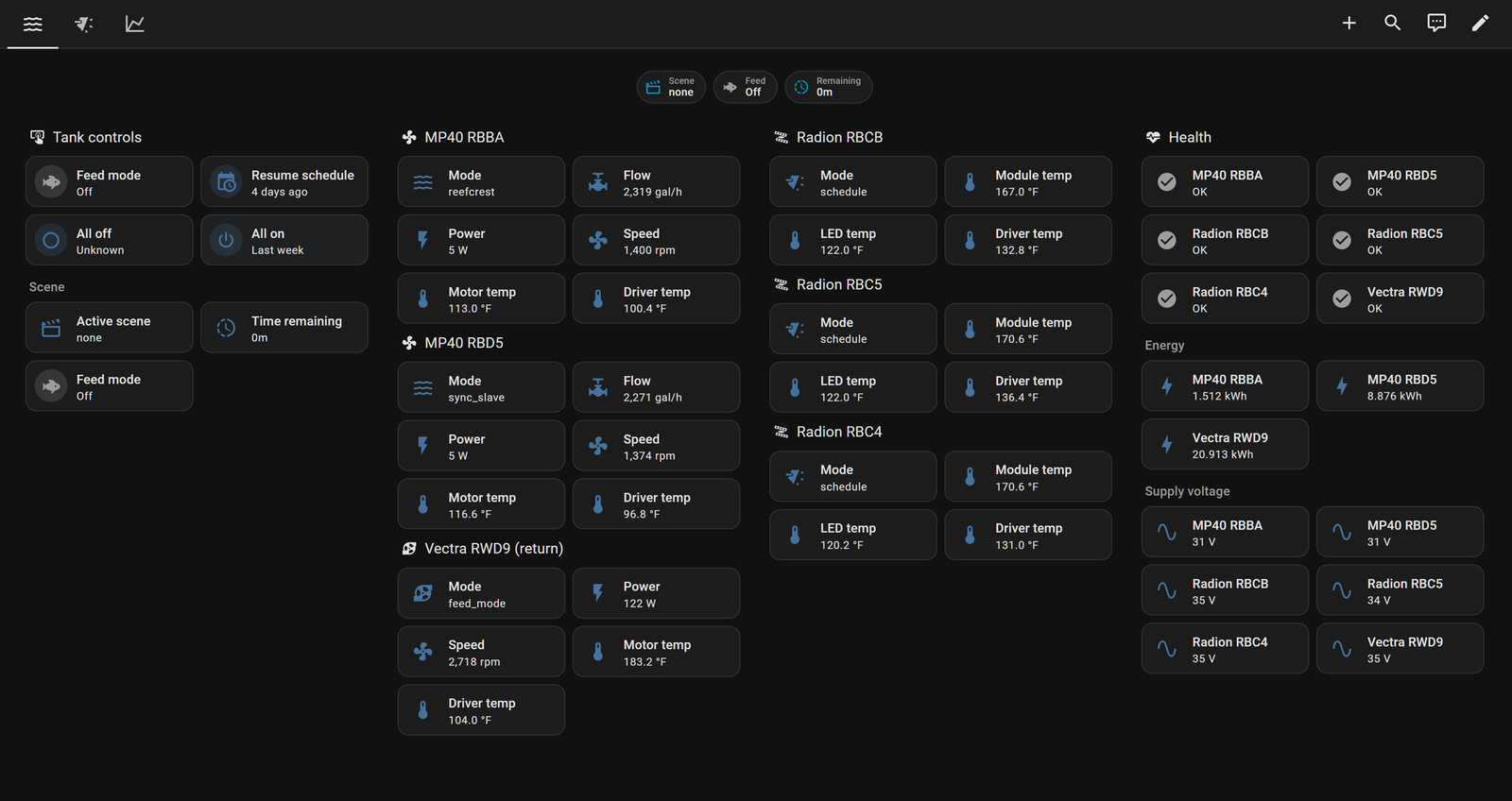
We built it in the same push as our Neptune Apex integration, on the same reef tank, and we developed and tested both in the same local Home Assistant setup. The Apex is the tank's brain: probes, outlets, dosing and feed cycles. Mobius is the muscle: the lights and pumps. With both in place, the whole tank lives on one Home Assistant dashboard, and both integrations are listed in HACS.
How we cracked it
- Get a radio next to the tank: An ESP32 running an ESPHome Bluetooth proxy relays BLE to Home Assistant over Wi-Fi.
- Read the adverts: Every device advertises as
MOBIUSwith one service UUID. Active scanning reveals the model, serial and the tank's mesh id in the manufacturer data. - Map the GATT service: Four characteristics, two to write (chunk, last chunk) and two that notify (chunk, last chunk). No pairing or encryption.
- Log every frame in hex: A small CLI sends requests through the proxy and dumps everything that comes back.
- Decode the frame: A sync byte, op group, opcode, message id, length, payload, then a CRC-16/CCITT-FALSE we confirmed against every frame the devices sent.
- Find the opcodes: Get and Set attributes, plus a relay op. Attributes are numbered and typed: mode, error state, scene, temperatures, power, flow and each light channel's intensity.
- Reach the whole tank: The devices share a Thread mesh. Wrapping a request in a CoAP relay frame lets one Bluetooth connection read every device, even a Vectra under the stand that no radio could hear.
- Control it: Feed mode, All off and All on are one group broadcast that the firmware fans out to every device in the tank, like the scene tiles in the app.
- Verify on real hardware: Every value was checked against a live tank of two MP40s, three Radions and a Vectra L2, and the protocol is documented in the repo.
What you get
Pump flow, power, speed and temperatures; each light's live colour mix; energy tracking for the pumps; and tank-wide Feed mode, All off, All on and Resume schedule. All of it is local: no EcoTech cloud account, and no phone once the tank is set up.
Install it from HACS, or check out the code on GitHub. Have a device or protocol you need to talk to? Let's talk.